> For the complete documentation index, see [llms.txt](https://docs.acpt.io/llms.txt). Markdown versions of documentation pages are available by appending `.md` to page URLs; this page is available as [Markdown](https://docs.acpt.io/custom-content-types/tables.md).
# Tables
Define custom database table schemas with columns, indexes, and foreign keys.
A **Table** defines the schema for a custom MySQL table. ACPT creates and manages the actual database table for you. Each table belongs to one [Table Group](/custom-content-types/table-groups.md) and can hold any number of records.
## The create/edit wizard
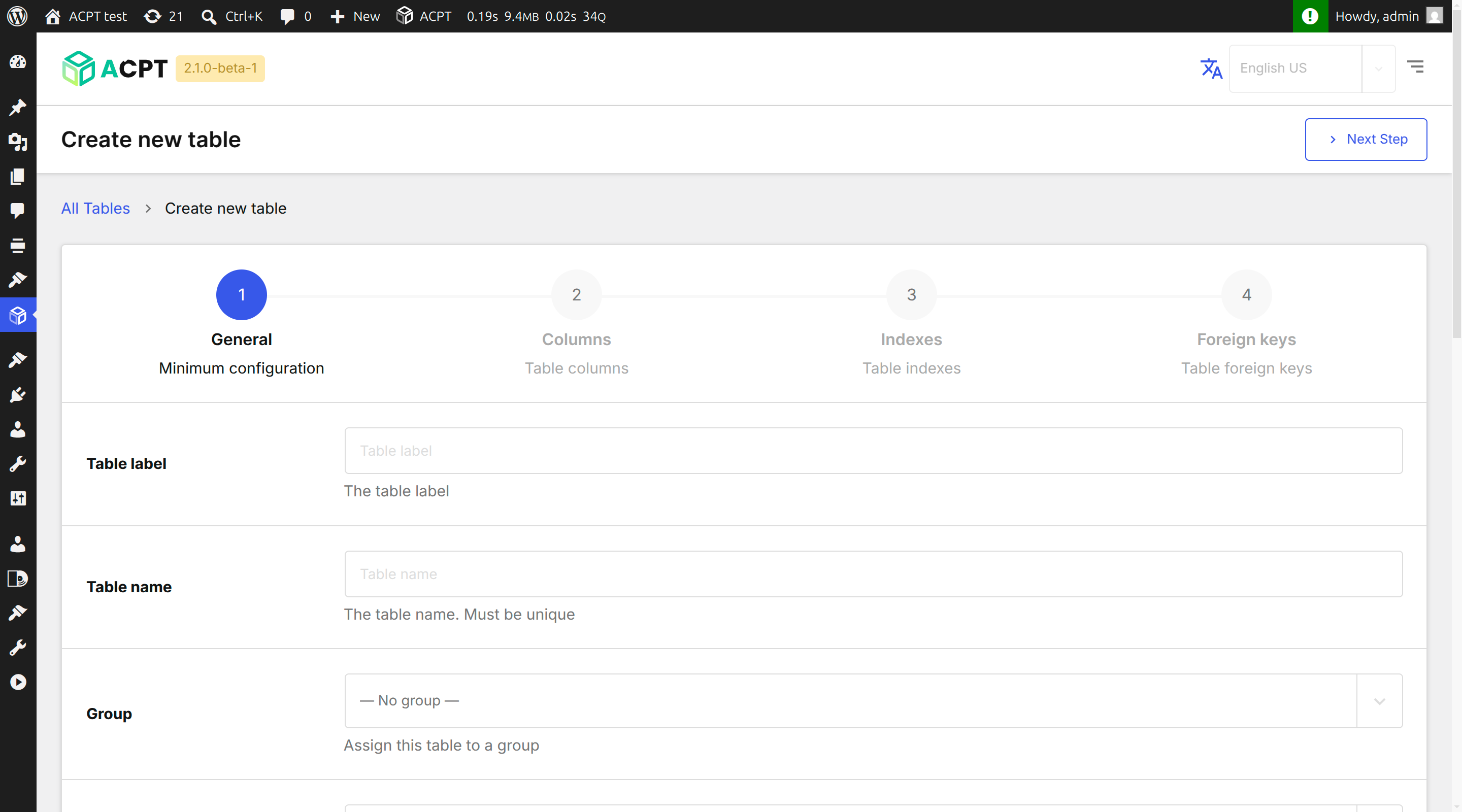
Creating or editing a table opens a four-step wizard.
Step 1 of the table creation wizard: General settings.
### Step 1 — General
| Field | Description |
| ----------------------- | ----------------------------------------------------------------------------------- |
| **Name** | Table name in the database (snake\_case, no spaces). Required. |
| **Label** | Human-readable label. |
| **Table Group** | Which group this table belongs to. |
| **ID strategy** | How the primary key is generated (see below). |
| **Expose via REST API** | If enabled, records are accessible via the `/wp-json/acpt/v1/{tableName}` endpoint. |
| **Menu icon** | Dashicon displayed in the admin sidebar. |
| **Menu position** | Numeric position in the admin menu. |
| **Capability** | Minimum WordPress capability required to access the table admin. |
| **Charset** | Database character set (default: `utf8mb4`). |
| **Collation** | Database collation (default: `utf8mb4_unicode_ci`). |
| **Timestamps** | Automatically add `created_at` and `updated_at` columns. |
| **Soft delete** | Adds a `deleted_at` column for non-destructive record deletion. |
### ID strategies
| Strategy | Description |
| ------------------- | -------------------------------------------------------------------------------------------------------------------- |
| **AUTO\_INCREMENT** | Standard auto-incrementing integer primary key. Best for most use cases. |
| **UUID** | A UUID v4 string is generated for each new record. Useful for distributed systems or when IDs must not be guessable. |
| **ULID** | A Universally Unique Lexicographically Sortable Identifier — sortable by creation time, URL-safe. |
### Step 2 — Columns
Define the table's columns using the [Canvas UI](/canvas-ui/canvas-ui.md). Drag columns to reorder them. See [Columns](/custom-content-types/columns.md) for all column types and settings.
The Canvas UI for managing table columns.
### Step 3 — Indexes
Add database indexes to improve query performance. See [Indexes](/custom-content-types/indexes.md).
### Step 4 — Foreign Keys
Define relationships between tables. See [Foreign Keys](/custom-content-types/foreign-keys.md).
## Managing Tables
Navigate to **ACPT → Custom Content Types** to see all tables.
The Custom Content Types table list.
The list shows:
* **Name** and **Label**
* **Schema status** — whether the MySQL table has been created
* **Stats** — record count
* **Group** — the table group the table belongs to
### Schema status
When you first save a table, ACPT attempts to create the database table automatically. If the schema is out of sync (e.g. after a column change), the list shows a **Create/Sync schema** button to regenerate the table structure.
{% hint style="info" %}
Schema changes to an existing table are applied non-destructively: new columns are added and type changes are applied. Removing a column from the schema does **not** automatically drop it from the database — use the Health Check tool to review schema drift.
{% endhint %}
## Viewing a Table
Click the table name or **View** to open a read-only summary with four tabs: **General**, **Columns**, **Indexes**, and **Foreign Keys**.
Actions available from the view:
* **Edit** — reopen the wizard
* **Permissions** — configure access control
## Deleting a Table
Click **Delete** in the actions dropdown.
{% hint style="danger" %}
Deleting a table removes the table definition from ACPT **and drops the MySQL table**, permanently deleting all records. This action cannot be undone.
{% endhint %}